
Imagine it's two days before a milestone birthday. You've ordered a laser-engraved crystal keepsake, uploaded a cherished photo, and waited. Then the message arrives: the image resolution was too low, and production hasn't started. That sinking feeling is entirely avoidable. A well-organised personalised gift workflow turns what could be a stressful scramble into a smooth, satisfying experience for everyone involved. Whether you're an individual ordering a one-off keepsake or a small business managing bulk branded gifts, the right process protects your time, your budget, and your recipient's delight. This guide walks you through preparation, step-by-step execution, common pitfalls, and quality checks so every order lands perfectly.
Table of Contents
- What you need to start a personalised gift workflow
- Step-by-step: How to process a personalised gift order
- Common challenges and how to overcome them
- Ensuring satisfaction: Post-order checks and delivery
- Why workflow is your brand's hidden superpower
- Bring your personalised gift workflow to life
- Frequently asked questions
Key Takeaways
| Point | Details |
|---|---|
| Start with the right tools | Prepare your design platform, order system, and sustainable materials before taking orders. |
| Follow a proven process | Move each order through step-by-step stages from design submission to delivery for best results. |
| Communicate and flag issues | Use workflow flags, notes, and transparent updates to resolve problems and reduce errors. |
| Verify and delight | Check every detail before dispatch and consider recipient-choice to reduce waste and maximise satisfaction. |
What you need to start a personalised gift workflow
Before you place a single order or accept your first commission, getting your setup right saves enormous headaches later. Think of this stage as laying the foundations of a house. Rush it, and everything built on top becomes unstable.
Here is what you'll need in place:
- Design software: Tools such as Adobe Illustrator, Canva Pro, or purpose-built engraving design programs let you create and adjust artwork to exact specifications.
- Customer order platform: An e-commerce platform or order management system that captures customer details, design files, and special instructions in one place.
- Production tools: For engraved gifts, this means access to laser engraving equipment or a trusted supplier who handles production on your behalf.
- Packaging supplies: Branded boxes, tissue paper, protective wrapping, and personalised inserts that reinforce the premium feel of the finished item.
- Communication templates: Pre-written messages for order confirmation, revision requests, and dispatch notifications save time and keep customers informed.
One of the most significant advances in the personalised gift space is the ability to offer real-time previews. Platforms that let customers see a digital mock-up of their engraved item before production begins dramatically reduce revision requests and errors. Pair this with AI design tools and sustainability considerations, such as eco-friendly packaging and recipient-choice options, and you have a workflow built for modern expectations.
| Feature | Basic setup | Advanced setup |
|---|---|---|
| Design preview | Static image mock-up | Real-time 3D interactive preview |
| Order management | Spreadsheet or email | Dedicated order management software |
| Production | Manual, one at a time | Batch processing with workflow flags |
| Packaging | Generic boxes | Branded, eco-friendly materials |
| Communication | Ad hoc messages | Automated status update templates |
Pro Tip: If you're just starting out or managing occasional orders, print-on-demand suppliers are your best friend. You only produce what's ordered, which means zero unsold stock and far less wasted material. It also keeps your upfront costs low while you refine your process.
For small businesses in particular, investing in a platform that integrates design, ordering, and production tracking from day one pays dividends the moment order volumes start to climb.
Step-by-step: How to process a personalised gift order
With your tools and setup ready, here's how to smoothly run each order through to completion. A consistent sequence means nothing slips through the cracks, whether you're fulfilling one order or one hundred.
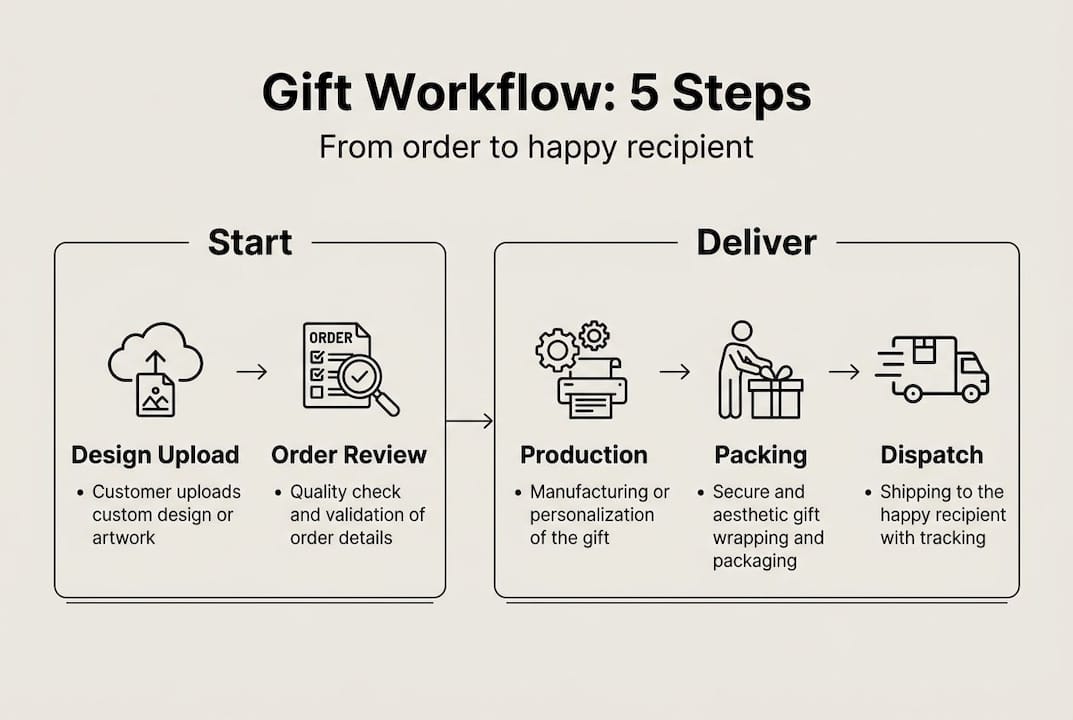
- Receive and review the order. Confirm you have all required assets: the customer's chosen design, any personal text, preferred material, and delivery deadline. Flag incomplete submissions immediately rather than waiting.
- Validate design assets. Check image resolution, file format, and text accuracy. For laser engraving, images typically need to be at least 300 DPI (dots per inch) to produce a clean result. Reject and request replacements early.
- Generate and share a preview. Send the customer a digital proof of their personalised item. Give them a clear deadline for approving or requesting changes, typically 24 to 48 hours.
- Handle revisions promptly. Log all revision requests in your order management system. Limit revision rounds to avoid indefinite delays, and be transparent about how changes affect the production timeline.
- Assign to production. Once approved, mark the order as confirmed and assign it to the production queue. Use workflow flags or status labels (such as "in production," "quality check," "ready to dispatch") to track progress.
- Batch where possible. Grouping similar orders together, such as all slate coasters or all crystal keyrings, improves efficiency. Platforms handling batch orders up to 2,000 per day demonstrate how powerful this approach becomes at scale.
- Quality check before dispatch. Inspect every item against the approved proof. Check spelling, alignment, and finish quality before packaging.
- Dispatch and notify. Pack securely, generate a tracking number, and send the customer an automated dispatch notification with delivery details.
| Stage | Responsibility | Typical timeframe |
|---|---|---|
| Order review | Seller or workflow system | Within 2 hours of receipt |
| Design validation | Seller | Same day |
| Customer proof approval | Customer | 24 to 48 hours |
| Production | Supplier or in-house | 1 to 3 working days |
| Quality check and dispatch | Seller | Same day as production completion |
Pro Tip: Always build a buffer of at least one extra working day into your stated delivery timeline. Peak periods, courier delays, and the occasional revision request will use that buffer more often than you'd expect.
Common challenges and how to overcome them
Even with a solid process, there are obstacles you'll need to prepare for. Here's how to tackle the most common ones before they derail an order.
Poor quality image files are the single most frequent cause of production delays. Customers often upload screenshots or compressed images that simply cannot produce a clean engraving. The fix is to set clear file requirements upfront, display them prominently during the ordering process, and use automated validation tools that flag undersized files before they enter the queue.

Missing or ambiguous personalisation details are equally disruptive. A customer who writes "Happy Birthday Mum" without specifying a font, size, or layout leaves too many decisions to guesswork. Build structured order forms that require these specifics before submission is possible.
Seasonal volume spikes are predictable but still catch many sellers off guard. Christmas, Valentine's Day, and Mother's Day all compress timelines dramatically. Clear communication, workflow flags, and buffer timelines are the most effective defences against seasonal chaos. Start communicating order deadlines to customers at least three weeks before peak dates.
"The sellers who handle peak season best are those who treat their workflow as a living document, adjusting flags, batch sizes, and communication templates in response to what they learn each year."
Duplicate work is a silent efficiency killer in small operations. When two team members both start working on the same order, materials are wasted and timelines are confused. Assigning clear ownership to every order at the point it enters the queue eliminates this entirely.
Here's a quick reference for common issues and their solutions:
- Low-resolution files: Display minimum file requirements on the order form; use automated file checkers.
- Vague personalisation instructions: Use structured, required fields rather than open text boxes.
- Seasonal overload: Publish order cut-off dates early; increase buffer timelines from October onwards.
- Duplicate production: Assign each order to one named person or production slot immediately upon confirmation.
- Customer communication gaps: Send automated status updates at each workflow stage so customers never need to chase.
Pro Tip: Use a notes field in your order management system to record any unusual customer requests or special handling instructions. A brief note such as "fragile packaging required" or "gift message card included" prevents costly mistakes at the dispatch stage.
Ensuring satisfaction: Post-order checks and delivery
Once production wraps up, you'll want to ensure your gift is received as intended. This final stage is where attention to detail transforms a good product into an exceptional experience.
Before anything is packaged, run through these checks:
- Spelling and text accuracy: Compare the finished item word for word against the approved proof. One typo on a personalised gift can ruin an otherwise perfect product.
- Design fidelity: Confirm the engraving depth, alignment, and clarity match the preview the customer approved.
- Packaging presentation: Ensure the item is secured against movement, the packaging is clean and undamaged, and any personalised inserts or gift messages are included.
- Tracking and labelling: Verify the correct delivery address, attach tracking labels, and log the tracking number against the order record.
Eco-friendly packaging is increasingly important to UK buyers. Recycled card boxes, paper void fill, and compostable wrapping not only reduce environmental impact but also signal to customers that your brand shares their values. This matters particularly for corporate gifting, where sustainability credentials are scrutinised.
Recipient-choice programmes, where the end recipient selects their preferred gift from a curated range, are growing in popularity for good reason. 80% of promotional products are discarded when they don't resonate with the recipient, making true personalisation not just a nice touch but a practical necessity. Letting recipients choose their item cuts waste significantly and ensures the gift is genuinely valued.
For businesses sending branded gifts to clients or staff, adding a short handwritten or printed note explaining the personalisation process adds a human touch that reinforces brand warmth. It's a small detail that recipients consistently remember.
Why workflow is your brand's hidden superpower
Most people obsess over the product itself: the design, the material, the finish. And those things matter. But in our experience, the brands that consistently earn five-star reviews and repeat orders are the ones with airtight workflows, not necessarily the flashiest products.
Here's the uncomfortable truth: a beautifully engraved crystal delivered three days late with the wrong name does more damage than a simpler product delivered on time and exactly as ordered. Workflow is what bridges the gap between your creative vision and your customer's actual experience.
Automation handles the repetitive, error-prone steps. Personal communication handles the moments that require human judgement. The businesses that understand this balance, and invest in both, build the kind of reputation that generates word-of-mouth referrals without any additional marketing spend. Small tweaks, such as adding a single status update email or a one-day production buffer, can shift your review average noticeably. Workflow isn't glamorous. But it is the difference between a gift that delights and one that disappoints.
Bring your personalised gift workflow to life
Ready to put your workflow into practice? The right platform makes every step easier, from design submission to final dispatch.
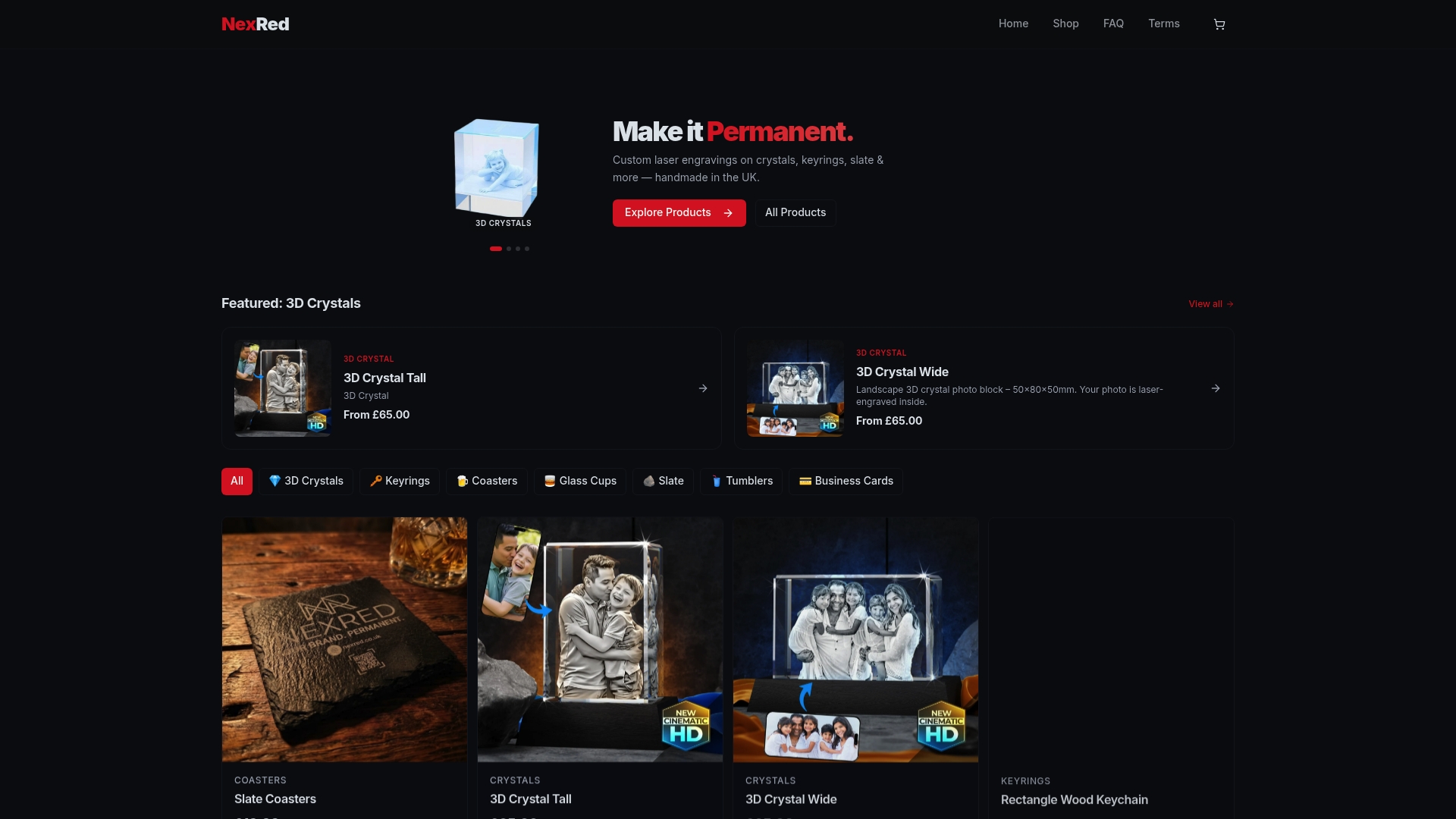
At NexRed, we've built our entire process around making personalised gifting seamless for individuals and small businesses alike. Whether you need a single engraved crystal keepsake or a batch of branded business gifts, our platform supports real-time design previews, clear order tracking, and production handled by skilled craftspeople. Explore our full range of personalised gift options and see how straightforward a polished, professional workflow can be. From keyrings and coasters to 3D crystals and tumblers, every item is produced with the same attention to detail that your recipients deserve.
Frequently asked questions
What is a personalised gift workflow?
A personalised gift workflow is the step-by-step process for taking a custom gift order from design submission through production to delivery. Personalised orders move through design previews, production queues, and tracking stages within a structured system.
How can I make sure my personalised gift arrives on time?
Start your order early, confirm all design details upfront, and choose sellers with clear status updates at every stage. Order management flags and notes help sellers manage timelines and avoid delays before they become problems.
How do businesses reduce waste with personalised gifts?
Opt for print-on-demand production, use eco-friendly packaging materials, and consider recipient-choice programmes where possible. Sustainability and recipient-choice approaches are proven to cut the volume of unwanted or discarded gifts significantly.
Why do I need a workflow for one-off gifts?
Even a single order benefits from a clear process because it ensures your design is produced accurately and delivered on time. Workflow steps for individuals and businesses alike protect against the most common errors, from typos to missed deadlines.